AI Agent Framework Comparison 2026: LangChain vs CrewAI vs AutoGen vs PydanticAI
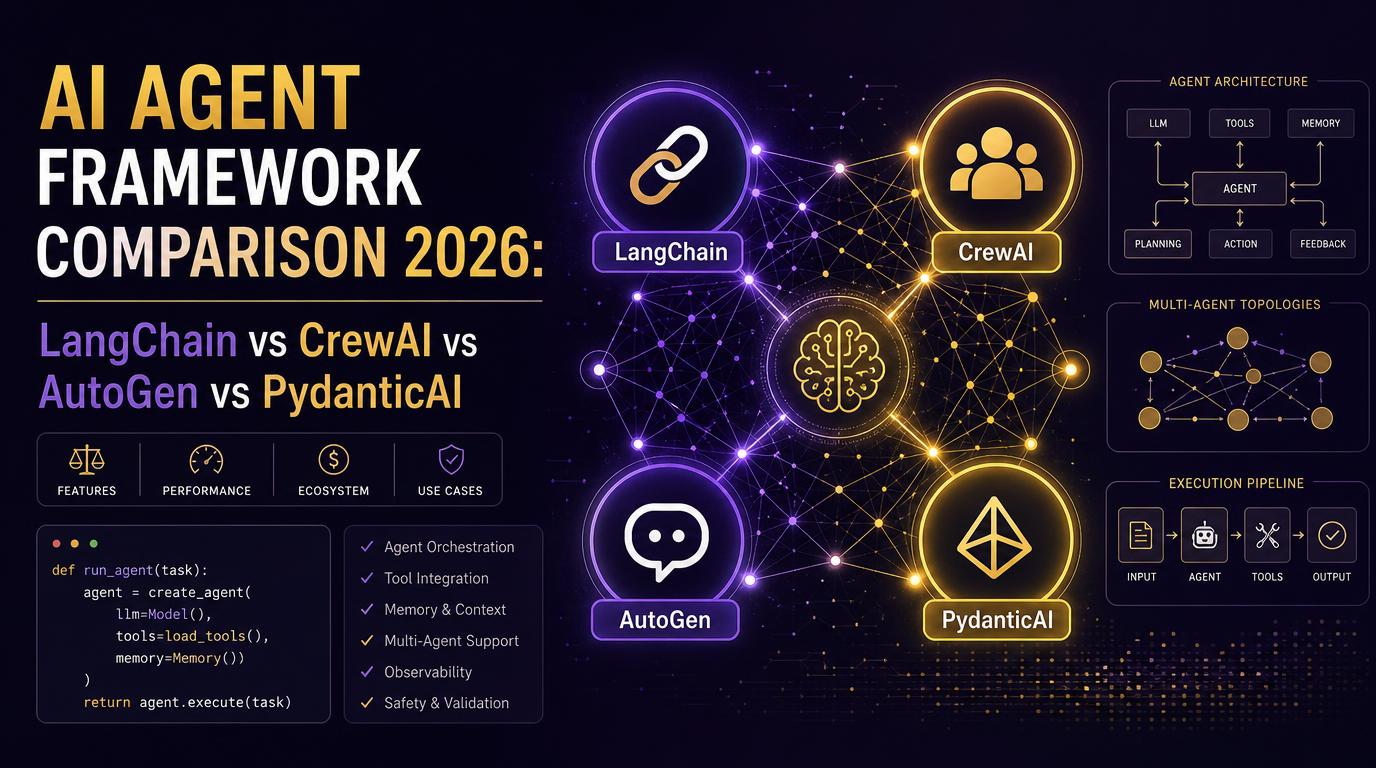
Why Your Framework Choice Matters More Than Your Model Choice
By 2026, the question is no longer whether your organization will run AI agents in production. It is which framework you will build them on. LangChain's State of Agent Engineering 2025 report, which surveyed more than 1,300 developers and leaders, found that 57% of organizations now have agents running in production, up from 51% the year before. Quality, not cost, is now the number one blocker to shipping agents at scale, cited by roughly a third of respondents, and observability has become table stakes with nearly 90% of teams tracing agent behavior.
The framework you pick in the first six months tends to become the foundation you live with for years, because state management, tool interfaces, and evaluation harnesses are deeply coupled to the runtime. This guide compares the four frameworks that matter in 2026: LangChain with LangGraph, CrewAI, Microsoft AutoGen, and PydanticAI. We cover their design philosophy, production readiness, learning curve, and ecosystem, and close with a decision matrix you can take to your next architecture review.
The Contenders at a Glance
All four frameworks solve the same core problem: they give an LLM a loop in which it can reason, call tools, and act on the results. They differ in how they model that loop and how much structure they impose.
- LangChain and LangGraph: a graph-based runtime where agents are explicit state machines. The most widely used stack in production, with the largest ecosystem of integrations.
- CrewAI: a role-based framework that models agents as a team of specialized workers. Built for fast prototyping of multi-agent workflows.
- AutoGen: Microsoft's conversation-centric runtime where agents exchange messages. Now evolving into the Microsoft Agent Framework.
- PydanticAI: a type-safe agent framework built on Pydantic. Minimal, explicit, and popular with Python teams that want structured outputs without framework magic.
LangChain and LangGraph: The Production Default
LangGraph is the stateful, graph-based runtime that LangChain's ecosystem has converged on. Instead of hiding control flow, it makes it explicit: your agent is a graph of nodes, edges, and conditional branches, with a shared state object that every node reads and writes. That philosophy is what makes the stack production-viable.
A minimal LangGraph agent looks like this:
from langgraph.graph import StateGraph, END
from typing import TypedDict, Annotated

class AgentState(TypedDict):
    messages: list
    next: str

def call_model(state: AgentState):
    # Call your LLM, append response to state["messages"]
    return {"next": "tools" if needs_tool(state) else END}

def call_tool(state: AgentState):
    # Execute the requested tool, append result to state["messages"]
    return {"next": "model"}

graph = StateGraph(AgentState)
graph.add_node("model", call_model)
graph.add_node("tools", call_tool)
graph.add_edge("model", "tools")
graph.add_edge("tools", "model")
graph.set_entry_point("model")
app = graph.compile()
What you get in exchange for the extra structure is control. Every node is a plain Python function you can unit test, state is a typed dict you can inspect, and checkpointing gives you time travel across conversation states for debugging. LangGraph has built-in persistence through checkpointers for Postgres, SQLite, and Redis, which matters when you need agents to survive process restarts.
The ecosystem is the other reason teams default to this stack. If you need a vector store, a search API, a document loader, or an observability integration, LangChain probably has it. The tradeoff is complexity: the framework layer adds abstraction, and the learning curve is the steepest of the four. Teams that skip structured learning often end up with agents that work in demos and fail in production because they never understood the graph lifecycle.
CrewAI: Role-Based Multi-Agent Made Simple
CrewAI models agents the way a manager thinks about a team. Each agent has a role, a goal, and a backstory, and crews execute sequential or hierarchical processes to complete tasks. The abstraction is deliberately human-shaped, which makes it the fastest way to a working multi-agent demo.
from crewai import Agent, Task, Crew, Process

researcher = Agent(
    role="Market Researcher",
    goal="Find the latest AI agent framework adoption data",
    backstory="You are a meticulous analyst who verifies every number.",
    tools=[search_tool]
)
analyst = Agent(
    role="Strategy Analyst",
    goal="Turn raw data into a recommendation",
    backstory="You translate research into decisions for executives."
)

research_task = Task(
    description="Collect 2026 adoption statistics for AI agent frameworks",
    agent=researcher
)
analysis_task = Task(
    description="Write a one-page framework recommendation",
    agent=analyst
)

crew = Crew(
    agents=[researcher, analyst],
    tasks=[research_task, analysis_task],
    process=Process.sequential
)
result = crew.kickoff()
For a small number of well-defined tasks with clear handoffs, CrewAI gets you to a working system in hours rather than days. The framework handles orchestration, and the role abstraction maps naturally onto business processes like research pipelines or content workflows. CrewAI also has built-in memory types and tool integrations that cover most starter use cases.
The cost of that speed is control. When your agent logic becomes genuinely complex, with conditional branches, retries, and fine-grained state, the role abstraction starts to fight you. Teams that outgrow CrewAI typically migrate to LangGraph for the same reason they outgrew no-code tools: the moment you need explicit control flow, a framework that hides it becomes a constraint.
AutoGen: Conversation as the Unit of Work
AutoGen, from Microsoft, treats multi-agent interaction as a conversation. Agents are autonomous participants that send and receive messages, and the runtime manages the flow. The design centered on conversable agents that could talk to each other and to humans, which made it a natural fit for research and reasoning scenarios where iterative back-and-forth is the core pattern.
from autogen_agentchat.agents import AssistantAgent
from autogen_agentchat.teams import RoundRobinGroupChat
from autogen_agentchat.conditions import MaxMessageTermination

planner = AssistantAgent(
    name="Planner",
    model_client=model_client,
    system_message="Break the user request into concrete steps."
)
executor = AssistantAgent(
    name="Executor",
    model_client=model_client,
    tools=[code_executor, search_tool],
    system_message="Execute steps and report results."
)

team = RoundRobinGroupChat(
    [planner, executor],
    termination_condition=MaxMessageTermination(max_messages=10)
)
result = await team.run(task="Analyze this dataset and summarize trends")
In 2026 AutoGen's ecosystem is consolidating into the Microsoft Agent Framework, which unifies AutoGen and Semantic Kernel into one runtime. That is a double-edged sword. It signals continued investment from Microsoft and a clearer path for Azure-native teams, but the churn around the transition has been real, and teams that standardize on AutoGen today should expect API surface changes as the consolidation completes.
AutoGen's strengths are its group chat patterns, code execution support, and grounding in the Azure world. If your organization is Azure-native, or your use case involves multiple agents negotiating over a problem, AutoGen deserves a serious look. If you need the broadest third-party ecosystem, it is not the default choice.
PydanticAI: Type-Safe Agents for Python
PydanticAI takes the opposite approach from the orchestration frameworks. It is built directly on Pydantic, which means structured output is not an add-on, it is the core abstraction. Agents are typed, dependencies are injected explicitly, and the framework favors plain Python over framework magic. This makes it an excellent choice for Python teams that want predictable, testable agents with minimal abstraction.
from pydantic_ai import Agent, RunContext
from pydantic import BaseModel

class SupportResponse(BaseModel):
    intent: str
    confidence: float
    reply: str

agent = Agent(
    "openai:gpt-4o",
    result_type=SupportResponse,
    system_prompt="Classify the intent and draft a support reply."
)

@agent.tool
async def lookup_order(ctx: RunContext[Database], order_id: str) -> dict:
    return await ctx.deps.orders.get(order_id)

result = await agent.run(
    "Where is my order #4821?",
    deps=Database()
)
print(result.output.intent)  # typed, validated, guaranteed
The typed output contract is the killer feature. Every agent response is validated against a Pydantic model before it reaches your application code, which eliminates an entire class of malformed-output bugs before they hit production. The dependency injection system makes testing straightforward: you swap real services for fakes in tests exactly as you would in any well-structured Python application.
PydanticAI is not a competitor to LangGraph for complex orchestration. It is a complement. Many teams use LangGraph for the graph runtime and PydanticAI for output contracts, or use PydanticAI standalone for the large class of agents that are essentially one tool call away from being a typed function. Its ecosystem is smaller and younger, so you will write more glue code yourself, but the code you write tends to stay readable.
The Decision Matrix
| Criterion | LangGraph | CrewAI | AutoGen | PydanticAI |
|---|---|---|---|---|
| Core abstraction | State graph | Role-based crew | Conversation / group chat | Typed function |
| Learning curve | Steep (2-6 weeks) | Gentle (hours) | Moderate | Gentle for Python teams |
| Production readiness | High, battle-tested | Medium, improving | Medium, consolidating | High for structured tasks |
| Complex workflows | Excellent | Good for sequential | Good for negotiation | Limited, by design |
| Ecosystem breadth | Largest | Growing | Azure-leaning | Small but focused |
| Persistence / memory | Built-in checkpointing | Built-in memory types | Via framework | Bring your own |
| Observability | LangSmith native | LangSmith, Langfuse | Azure monitor, OpenTelemetry | Logfire, OpenTelemetry |
| Best for | Complex production agents | Fast multi-agent prototypes | Azure-native negotiation loops | Typed, testable single agents |
Production Readiness and Ecosystem Reality
Production readiness is not the same thing as popularity, but in this space they correlate. LangGraph's checkpointing, persistence, and human-in-the-loop interrupt support are the features that most directly map to production requirements: durable state, crash recovery, and approval gates. The LangSmith tracing integration gives you observability out of the box, which matters when nearly 90% of serious teams are already tracing their agents.
CrewAI has closed much of the gap in the last year. Its enterprise tier added governance controls, and its LangSmith and Langfuse integrations cover tracing. The remaining gap is structural: the role abstraction makes complex conditional flows awkward, and very large crews hit coordination overhead. For demanding control flow, teams consistently report hitting CrewAI's ceiling.
AutoGen's production story is strongest inside Azure. The Agent Framework consolidation gives it a coherent roadmap, but the transition creates version churn that teams must budget for. If your stack is cloud-agnostic or AWS/GCP-native, the Azure-centric gravity of the ecosystem is a real consideration.
PydanticAI is production-ready for what it does. Because it is just typed functions around an LLM, it is easy to deploy, test, and roll back. The limitation is scope, not quality: for single-agent tools with structured outputs, it is often the most maintainable choice on this list.
Real-World Adoption Patterns
The most honest guidance comes from watching what teams actually standardize on. LangGraph is the dominant choice for complex production agents, especially in customer support, internal knowledge work, and automation pipelines. CrewAI dominates the prototype phase: teams build a multi-agent demo in a day, validate the concept, and then either harden it in CrewAI or migrate the control flow to LangGraph. AutoGen is common in enterprise research and Azure-heavy shops. PydanticAI is spreading fast among product teams that want a thin, typed layer between their LLM and their API.
A pattern worth copying: pick the framework that matches your dominant use case today, but design the agent core as plain functions with typed interfaces, so the orchestration layer can be swapped without rewriting business logic.
How to Choose: A Practical Sequence
- How complex is the control flow? If your agent is a single call-tool-loop, start with PydanticAI or a minimal LangGraph node. If you have conditional branches, retries, and human approval gates, LangGraph is the safe default.
- How many agents are actually needed? Most use cases need one. Reserve multi-agent designs for cases with genuinely independent responsibilities, and start with the simplest orchestration that works.
- Where does your infrastructure live? Azure-native teams should evaluate AutoGen seriously. Everyone else should weigh LangGraph's ecosystem against the cost of its complexity.
- How will you observe and evaluate? Whatever you pick, tracing and evaluation are table stakes. Make sure the framework connects to your observability stack before you commit.
Practical Takeaways
- LangGraph is the production default for complex agents. Accept the learning curve, it pays for itself in control, persistence, and debuggability.
- CrewAI is the fastest way to validate a multi-agent idea. Treat it as a prototyping tool and plan the hardening path.
- AutoGen is a strong choice for Azure-native teams, but budget for the Agent Framework transition churn.
- PydanticAI is the quiet winner for typed, testable single-agent services. If your agent is basically a function with tools, do not reach for a heavyweight orchestrator.
- Design the agent core as plain functions with typed interfaces so the framework layer can be swapped later without rewriting business logic.
- Quality is the top blocker to production agents in 2026. Invest in evaluation and observability from day one.
Framework choices have a way of outliving their original justification, so choose for the workload you will have in two years, not the demo you want this week. If your team needs help turning an agent prototype into a production system, Next IT's AI solution team builds and operates production AI agents end to end. For a full build, our software development service covers the engineering, and our IT outsourcing and consulting can staff the expertise you need. If you are starting from an existing platform, our website development service integrates agent capabilities into what you already run.
Nexie
PT Niaga Expert Teknologi